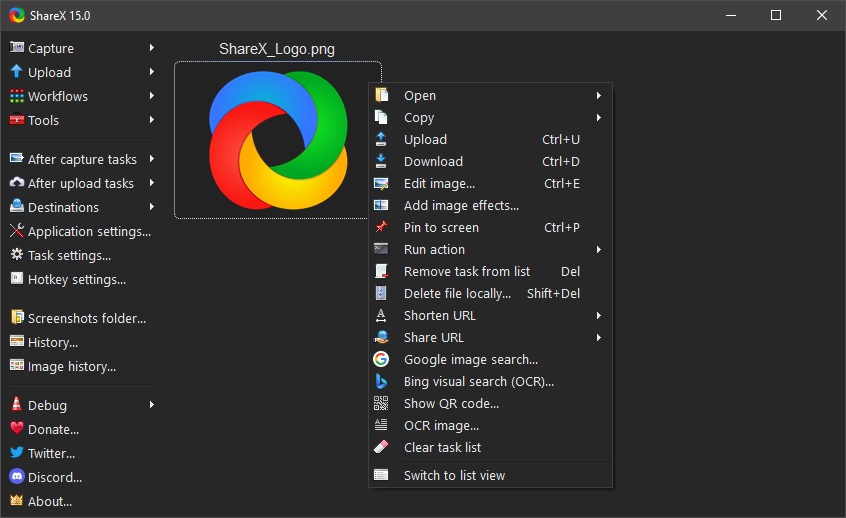
If you are looking for a tool that can capture anything on your screen and automate your entire workflow, ShareX is the gold standard. It has been a leading open-source project on Windows for over 15 years, and it remains completely free without any ads.
🚀 Why ShareX is a Must-Have
Unlike simple snipping tools, ShareX is built for efficiency and automation. Here’s why it stands out:
1. Advanced Capture Modes
- Scrolling Capture: Perfect for grabbing long webpages or chat histories that don’t fit on one screen.
- Screen Recording: Record your screen directly to GIF (for quick demos) or MP4 (for high-quality videos).
- Auto Capture: Set intervals to take screenshots automatically.
2. Built-in Productivity Tools
ShareX is a “Swiss Army Knife” that includes:
- OCR (Optical Character Recognition): Select any area to extract text immediately.
- Color Picker: Quickly grab HEX or RGB values from any pixel.
- Screen Ruler: Measure the exact pixel dimensions of elements on your screen.
- Image Joiner: Combine multiple images into one effortlessly.
3. Workflow Automation (The Real Power)
You can set up “After capture tasks” to:
- Add a shadow or watermark.
- Save the file to a specific folder.
- Upload to the cloud (Imgur, GitHub Gist, FTP, etc.).
- Copy the URL to your clipboard automatically.
🛠 Essential Hotkeys
Master these shortcuts to save hours of time:
| Shortcut | Action |
|---|---|
| Ctrl + PrintScreen | Capture a custom region. |
| PrintScreen | Capture the entire screen. |
| Alt + PrintScreen | Capture the active window. |
| Shift + PrintScreen | Start/Stop screen recording (GIF/Video). |
🆚 ShareX vs. Snipaste
| Feature | ShareX | Snipaste |
|---|---|---|
| License | Open Source (GPL) | Free for personal use |
| Screen Recording | ✅ Yes | ❌ No |
| Text Recognition (OCR) | ✅ Yes | ❌ No |
| Pin to Screen | ❌ No (Standard) | ✅ Yes (Best feature) |
| Scrolling Capture | ✅ Yes | ❌ No |
SoftStash Verdict
ShareX is the ultimate choice for power users, developers, and anyone who wants to automate their digital life. While the interface might look complex at first, the time it saves you is worth every minute of learning.
Download
- Official Website: getsharex.comhttps://github.com/ShareX/ShareX/releases/
- Source Code: [GitHub Repository](Releases · ShareX/ShareX · GitHub)
Pro Tip: If you want a “portable” version that doesn’t mess with your system registry, download the
.zipversion from their official site!